
JKBOPEE BSc Nursing 2026 admission form has been opened on March 26, 2026. The last date to apply is April 07, 2026. candidates who are interested and want to apply for JK BSC Nursing 2026 must the application form before last date.
admissions are yet to open, with notifications expected in February-March 2026 via jkbopee.gov.in. In 2025 the application form opend on 15 March and exam took place on 27 April 2025
Key Dates (Tentative)
Application has started on March 26, 2026, for 30 days, exam in May-June, and counselling post-results.
What is the eligibility to appear for BSc Nursing CET 2026
Eligibility & Process
- Qualification: Class 12 with Physics, Chemistry, Biology (50% aggregate).
- Entrance: JKBOPEE CET (offline); NEET may be mandatory for some seats.
- Apply online (fee Rs. 1000), download admit card, appear for exam, then merit-based counselling with choice filling.
Seats & Counselling
Around there are more than 5000+ seats in J&K government/private colleges; provisional merit lists lead to document verification. Reserved quotas apply per J&K norms.
JK BSc Nursing 2026 important dates remain unannounced as of January 5, 2026, with JKBOPEE expected to release the notification in February-March.
Tentative Timeline
| Event | Expected Dates |
| Application Start | March 26, 2026 |
| Application Deadline | April 07, 2026 |
| Admit Card | May 2026 |
| Entrance Exam (CET) | May-June 2026 |
| Result | June-July 2026 |
| Counselling | July-August 2026 |
Application Process
NAME OF THE CANDIDATE (sample) FATHER’S NAME
Enter the date, month and year of birth as per English Calendar as recorded in the Matriculation Certificate. Use numerals 01 to 12 for the month, 01 to 31 for the date, and last fourdigits for the year. 23 rd of November, 1998 20 th of February, 1999
NAME OF THE CANDIDATE (sample)
| V | A | R | I | N | D | E | R | S | H | A | R | M | A |
FATHER’S NAME
| T | R | S | H | A | R | M | A |
Apply online at jkbopee.gov.in (fee ~₹1000-1500); requires Class 12 PCB marks, photo, signature. Monitor official site—no deadlines active now
The online Application Form has to be submitted as follows
Enter the date, month and year of birth as per English Calendar as recorded in the Matriculation Certificate. Use numerals 01 to 12 for the month, 01 to 31 for the date, and last fourdigits for the year.
23rd of November, 1998, 20th of February, 1999
23rd ofNovember,1998 20th ofFebruary,1999
| 2 Date | 3 Date | 1 Month | 1 Month | 1 year | 9 year | 9 year | 9 year |
First two column will be date when you are born and next two column month you are born and last four column year in which you are born
Candidates qualify under only one reserved category—the one selected in the Application Form, even if multiple certificates exist.
Category selection
Key Rule
If a candidate claims SC, Police Ward, and Backward Area benefits but selects SC in the form, selection happens SC seats only—no consideration for other categories.
Examples
| Multiple Claims | Form Selection | Final Category |
| SC + Police Ward + Backward Area | SC | SC seats only |
| ST + EWS + RBA | ST | ST seats only |
| OBC + Defence + ALC | Defence | Defence quota only |
Form choice = binding decision. No dual-category benefits or inter-category transfers during counselling.
Certificates to be Produced /Uploaded:
Mandatory Documents List
- Domicile Certificate: J&K/UT of Ladakh domicile; for Ladakh candidates, ST certificate from competent authority serves as domicile proof.
- 10+2 Marks Certificate: Qualifying exam marksheet issued by recognized board (CBSE/J&K PSEB), showing PCB aggregate ≥50%.
- Matriculation Certificate: For Date of Birth proof (Board-issued only; no affidavits accepted).
Reserved Category Documents
- Category certificate (SC/ST/OBC/EWS) issued by competent J&K/Ladakh authority for reservation benefits.
Lateral Entry Specific
- Diploma Certificate: In relevant stream (GNM/AHS).
- Registration: With J&K Para-Medical Council (wherever applicable).
Upload Guidelines
Use exact originals—no photocopies or self-attested copies needed at application stage. Verify formats on notification PDF post-release (expected March 2026). Keep ready before deadline to avoid form rejection
- Photo/Signature/Thumb Impression:
JK BSc Nursing 2026: Photo, Signature & Thumb Impression Upload Instructions
Candidates must upload recent photo (post Jan 1, 2025), scanned signature, and thumb impression in JPG/JPEG format (10-50 KB each).
Strict Photo Requirements
| Specification | Rule |
| Background | Light-coloured only |
| Date | Taken on/after 01-01-2026 |
| Name Display | Candidate’s name (as in form) written on placard |
| Format | Name + date BEFORE photo snap—post-editing = REJECTION |
| Size | 10-50 KB max |
Upload Checklist
- Photograph: Front-facing, 80% face visible, placard showing “Name + Date” held clearly.
- Signature: Black/blue ink on white paper.
- Thumb Impression: Left thumb (right for females), light pressure on white paper.
- File Specs: JPG only, 10-50 KB—no PNG/GIF accepted.
Rejection Triggers: Old photos (<2025), dark backgrounds, handwritten names after photo capture, oversized files >50KB.
Sample Photograph:
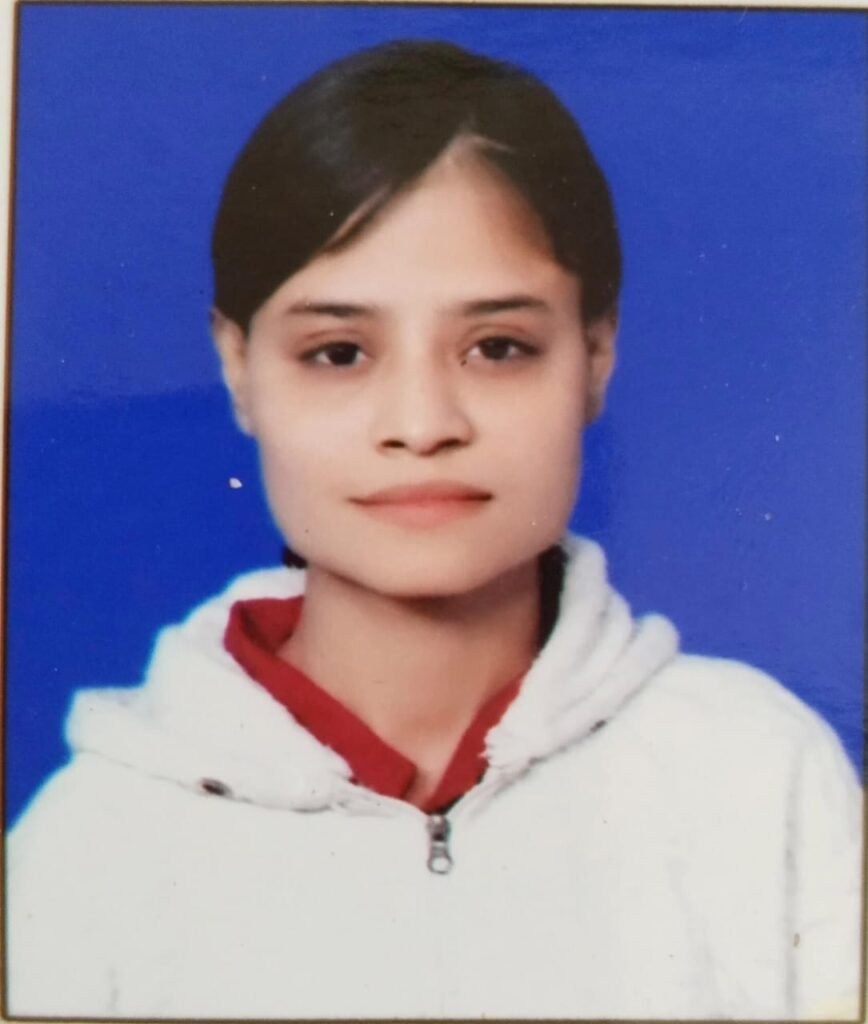
Photo Size: 10-50 KB max
The name and date on the photograph must be clear and legible.
Photograph should be without a cap and goggles. However, spectacles are allowed.
Application form Filling step
You will go to the BOPEE website www.jkbopee.gov.in and will click on the link/button “Click to Apply” under the heading Online Applications and section Common Entrance Test on the home page displayed to you.
A page will open with following Examination Para-Medical(CET) specific information
- Year and Month of Applying;
- Registration Schedule;
- Important Instructions;
- instructions for uploading images; (link/URL)
- instructions for uploading documents; (link/URL)
- steps to fill application form
- Click here to fill application; (link/button)
- Make Payment; (link/button)
- Upload Documents; (link/button)
- Print Application Form; (link/button)
- if already applied
- Check Application Status (link/button)
- Forgot Application No. (link/button)
It is important for the candidate to read the Registration Schedule for this examination where start and last date for filling up the online application is given besides payment last date and documents uploading last date.
Read the instructions carefully given in the Important Instructions section.
Click on the link instructions for uploading images and follow the guidelines for scanning and Uploading of Photograph, Signature and Thumb Impression. It also provides links to compress the images to the desired size for uploading. Desired size of the JPEG images is as under:
Size of Image
Photograph with nameplate and date of taking the photo with size from10-50 KB.
Signature& thumb impression with size from 10-50 KB.
Click on the link instructions for uploading documents and follow the guidelines for Scanning your documents
(Domicile Certificate or undertaking, Date of Birth Certificate, Marks Sheet, Category Certificate and/or any other certificate, if applicable) to PDF files for uploading.
It also provides links to compress the pdf document files to the desired size for uploading. Desired size of the below mentioned PDF documents is from 100-200 KB.
domicile of J&K/Ladakh as the case may be (For candidates belonging to UT of Ladakh, ST certificate issued by Competent Authority shall be treated as domicile certificate).
Date of Birth Certificate (10th class) issued by the respective Board
Reserved Category Certificate (where ever applicable)
Diploma in particular stream ®istered with J&K Para-medical Council ( For candidates applying under lateral entry category or wherever applicable
Before actually filling up the online form, please make sure that you have soft copies of the following ready:
- Photograph, Signature and Thumb Impression In JPEG format of Specific size;
- All scanned documents in PDF format of Specific size and
- A valid Credit/Debit Card / Net Banking credentials for making online payment.
- Now you are ready to fill the online application form in the following steps:
- Click the link/button Click here to fill application, a window will pop up with the important instruction and after reading these instructions click on the I have read the instructions check box and then click on the Apply button.
- A page with all form details will be shown. After filling in the details of the form and uploading your PST Enter Verification Code in the text box given at the bottom as in the captcha image and then click on the Submit Button.
- If information provided by you is incomplete and invalid then the page will display the relevant messages otherwise a page with your submitted details will be show with options either to verify that your details for correctness or edit and correct the given details.
- Click the link/button Click here to fill application, a window will pop up with the important instruction and after reading these instructions click on the I have read the instructions check box and then click on the Apply button.
- Click on the link/button Make Payment a page with some details will be shown. Enter your Application No., Date of Birth and Verification code and then click the Submit button.
- If your details submitted are correct, then a Pay button along with the title Make Payment Online will be displayed at the bottom.
- Clicking on this link/button will display a page with payment procedures and refunds etc. and click on I have read the Instructions check box and then click on proceed for payment button.
iii. Make payment by any desired mode:
- Debit Card
- Credit Card
- Net Banking
- After successful payment a Transaction Acknowledgement page with transaction details will be displayed which you can either note down or take a print out of.
- If you want to upload you documents at this time then click on Step 3-Click here to Upload Document otherwise close this window.
Click on the link/button Upload Documents a page with some details will be shown/displayed. Enter your Application No., Date of Birth and Verification code and then click the Submit button.
If your details submitted by you are correct, then a page with different types of documents and choose file buttons will be displayed.
Click on each of the choose file buttons and choose the correct relevant pdf document for each, where ever and if applicable.
After choosing these documents click on the check box given at the bottom and provide the verification code in the text box as given in caption image and then click on the upload button.
If the documents are of the correct/specific size and type then the documents will be uploaded and links to view and delete these documents, if required, will be displayed.
Now you can close this window after ascertaining that the correct documents have been uploaded by viewing them.
Click on the link/button Print Application Form a page with the preview of the application form will be displayed with all the submitted details including payment details.
- Click at the print button at the bottom to take a print out of the Application Form.
- Keep the Printed Application form safely for record and reference.
How to check the Status of Application form
For those who have already applied use the section if already applied
Checking Your Application Status
To check your application status, click the Check Application Status link or button. Enter your Application No., Date of Birth, and Verification Code, then click Submit.
- If details are correct, the following will display:
a. Application Status: Shows if BOPEE has reviewed your form, current status, payment status, and a link to print your E-Receipt.
b. Documents Uploaded: Lists uploaded documents, their status, and buttons to view or upload files. - Recommendation: Close the browser window after checking.
Forgot Your Application Number?
Click the Forgot Application No. link or button. Select your Examination Type, enter your Name, Father’s Name, Date of Birth, and Verification Code, then click Submit.
- If details are correct, your Application No. will appear (e.g., 22000400001).
- Recommendation: Close the browser window afterward.
Note: Always check www.jkbopee.gov.in for any updated instructions or e-Brochure.
- Please note that your registration details are non-editable in normal circumstances once submitted.
- If you want to edit/correct your registration details then click on Click Hereto edit your registration details link. You can do the same as many times as you require.
- If your registration details are correct then click the Click Here link
- An Application No. like (Your Application No:22000400001) will be generated and page showing Application submitted Successfully, thank you for registering message and information “A confirmation email has been sent to your e-mail id.” will be displayed.
If you want to make payment at this time then click on Step 2-Click here to Make Payment otherwise close this popup window