
OJEE 2026 Application Form: Dates, Process & Direct Link
OJEE 2026 registration will opens 28 January 2026 at ojee.nic.in for B.Tech, MBA, MCA, B.Pharm, and lateral entry courses—no age limit, Indian nationals eligible with 10+2 or equivalent. Exam will be taking place on 4,5,7,8 and 9 May 2026
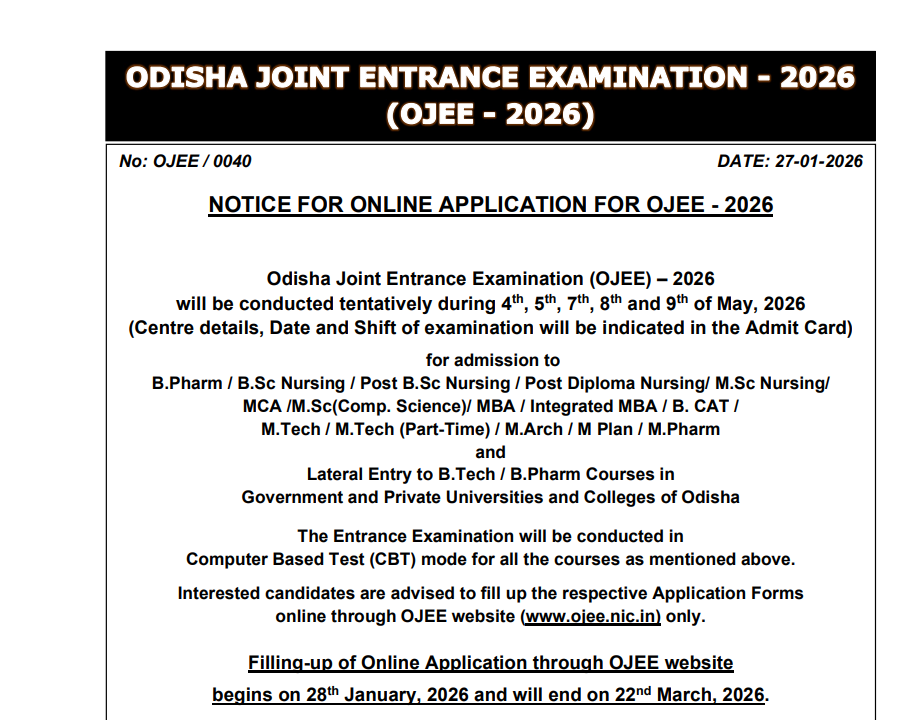
Application form filling an important step that you must take care in filling we have given the details below step by step. Check and fill the application form accordingly
Expected Schedule
Application window runs until March 22, 2026; correction facility follows, exam likely in May.
Step-by-Step Process
- Visit ojee.nic.in > “Registration for OJEE 2026” > Fresh Candidate Registration.
- Enter name, DOB, gender, contact details, password > Submit for Application Number.
- Login > Fill personal/academic details > Upload photo (JPEG), signature > Pay fee online (Credit/Debit/Net Banking).
- Print Confirmation Page post-payment.
Eligibility Quick Check
| Course | Qualification |
| B.Tech/B.Pharm | 10+2 with Physics, Chemistry, Math/Biology |
| MBA/MCA | Graduation |
| Lateral Entry | Diploma/B.Sc |
OJEE 2026 Application Process Overview
Candidates must apply online only via ojee.nic.in—prepare scanned color photo and signature beforehand per size guidelines.
Submission Steps
Read the Information Brochure and Instructions fully first. Visit www.ojee.nic.in, then click “Fresh Candidate Registration” to start.
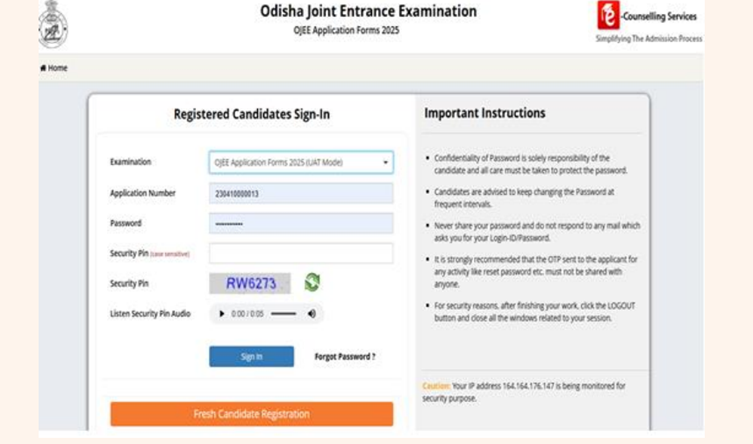
Enter all authentic details accurately in the online form. Upon submission, a unique Registration Number generates along with your created password.
Subsequent Access
Log back into the registration page anytime using your Application Number and password.
Application Sections
The full process divides into multiple sections requiring specific candidate data.
Application form
Your Name
Father Name
Mother Name
Date of Birth in DD/MM/YEAR
Gender
Identity type-Aadhar card,Pan Card,Voter ID etc,.
Mobile Number
Email Address
Now choose your password
Password and Confirm password reenter your password to confirm
Security Pin Verification
You will get on your phone number and email Id
Enter CAPTCHA and submit
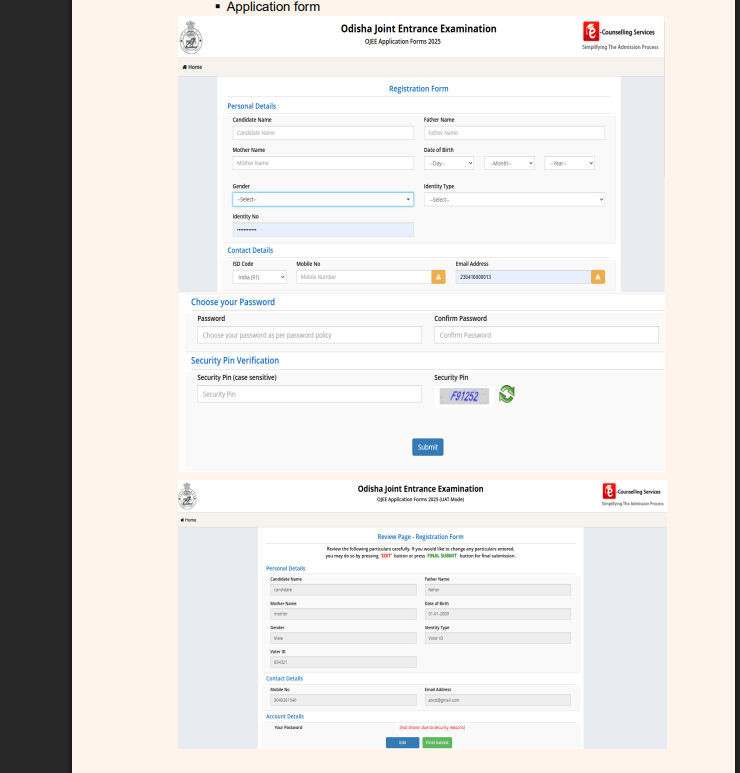
After submitting the review page will open now review all the information which you you entered
There is an edit button and final submission button, if you want to edit some details you can do here.
Course Page will open now
It will have apply section for the course
B Pharmacy
BCAT(Cinematography/Sound recording & Design
BCAT (Film Editing)
Basic BSc Nursing
You will choose your course and qualification that you have choose wisely
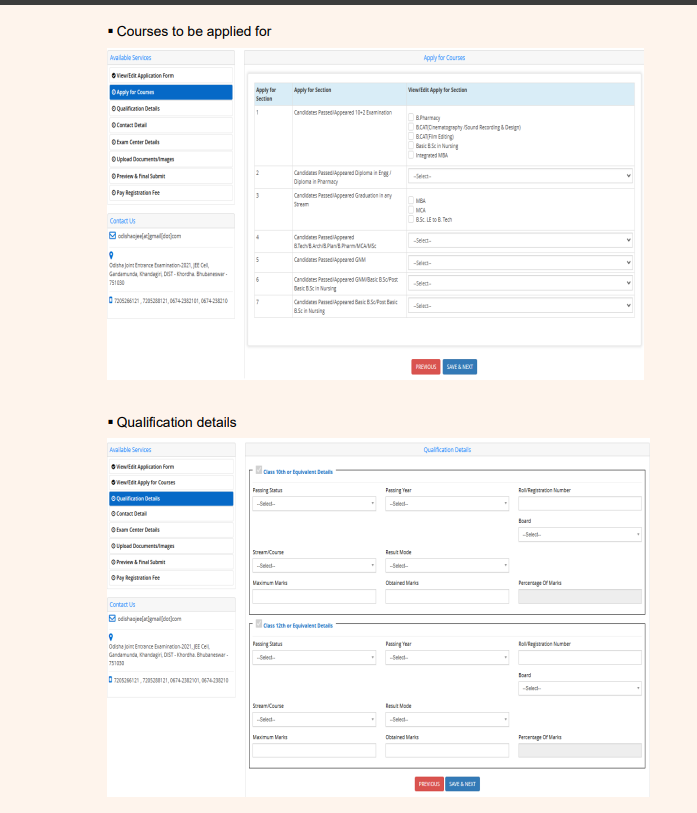
Qualification details
10 and second 12 class
Next Page
Contact Detials
Enter your correspondence and permanent address
Exam Centre Details
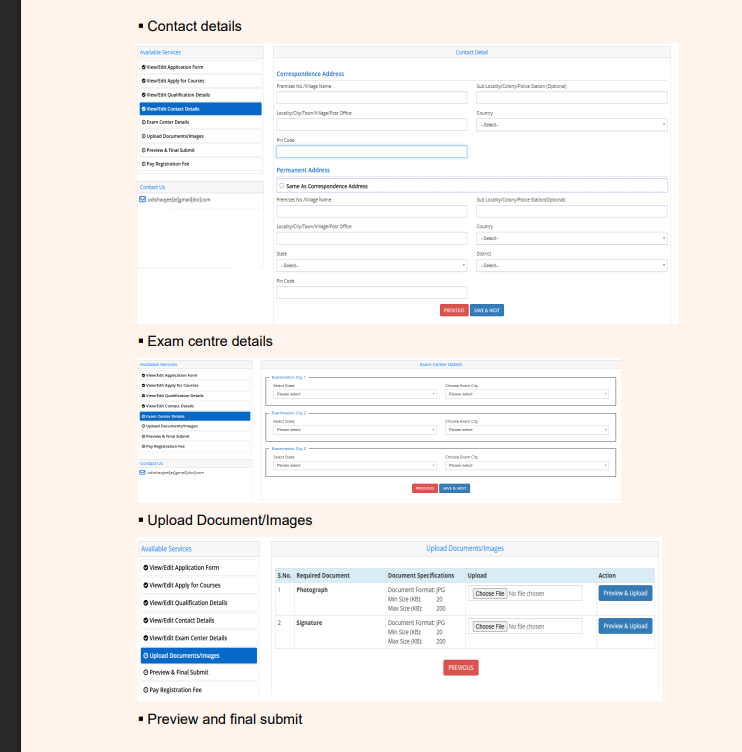
You will choose your three preferred city of examination choose one by one
Document upload page
Photo
Signature
Preview and Final submit
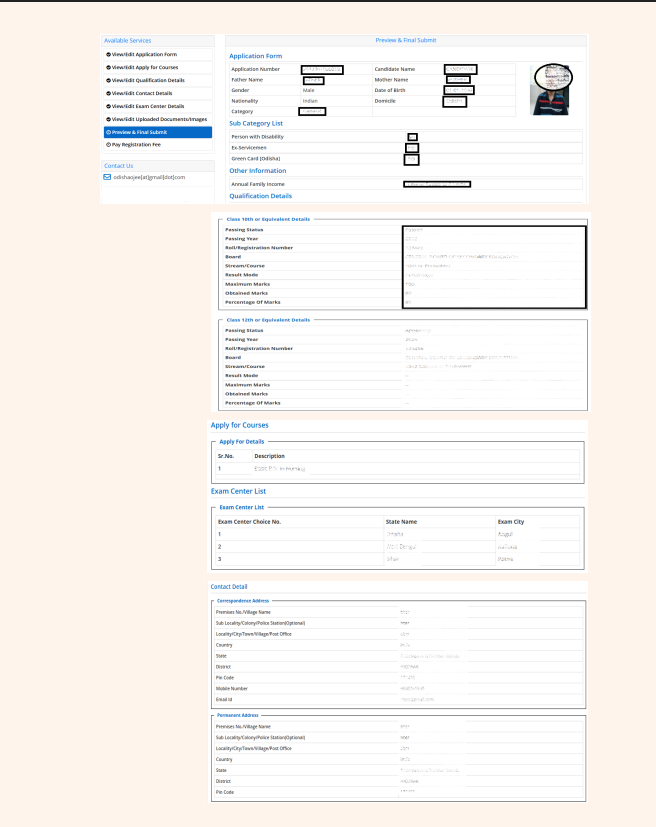
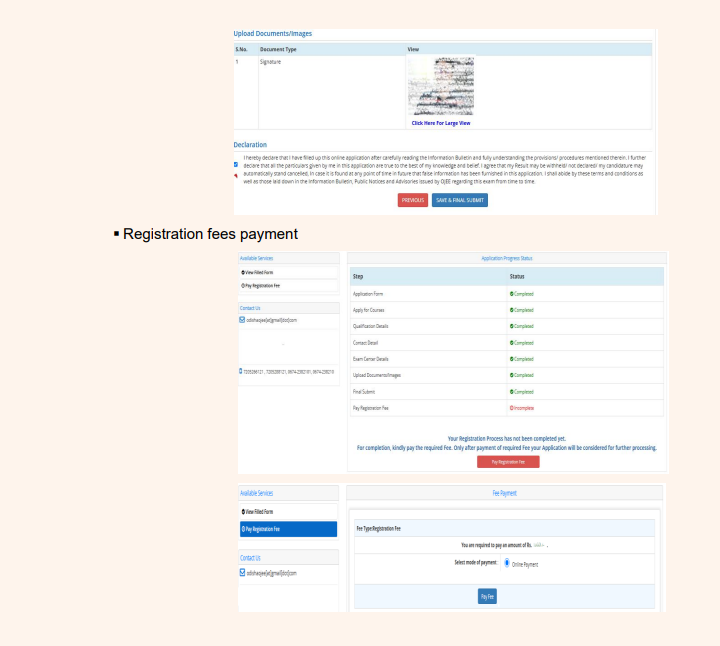
Registration fee or Application fee
This will feature all the details you have filled earlier and one section will be available incomplete which is a registration fee
FAQs
The application form will open in January 2026 for UG and PG admission
The application form opens online only not other way
You will upload the documents as asked in the application form such as photo and signature impression
If the amount is deducted and message reads you did not complete the payment process wait if the issue persists you must contact the officials