
FMGE October 2026 Image Upload Guidelines: Candidates appearing for the Foreign Medical Graduate Examination (FMGE) must upload their photograph, signature, and thumb impression in the prescribed format. The official instructions also provide examples of acceptable and unacceptable images. Following these requirements carefully is important because non-compliant images, or failure to correct them during the edit/final edit window, may lead to rejection of the application.
Table of Contents
FMGE October 2026 Image Upload Guidelines: What Candidates Need to Know
Candidates are required to upload two photographs: a real-time photograph captured through the webcam/in-built camera while filling the online application and a recent photograph that is not more than three months old.
- Wear formal attire.
- Use a plain white background and avoid distracting objects or people.
- Ensure there is sufficient light on the face, but avoid direct light on the webcam.
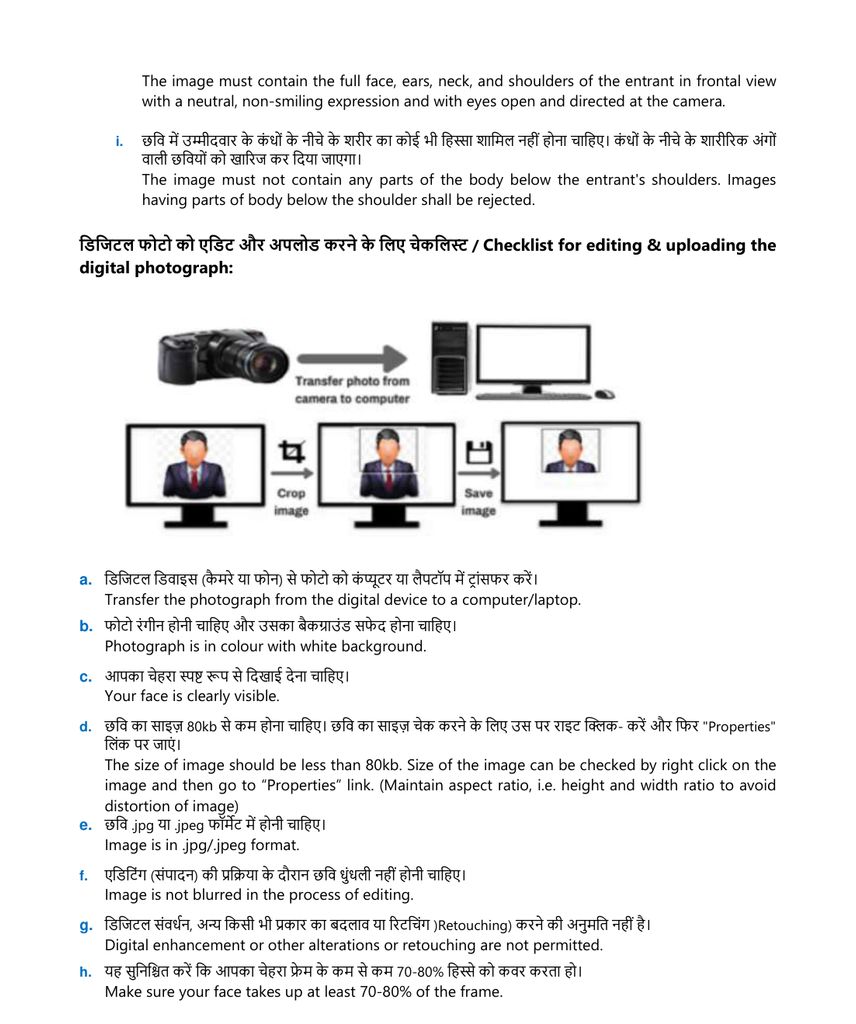
- The full face, ears, neck, and shoulders should be visible from the front.
- Keep a neutral, non-smiling expression and look directly at the camera with eyes open.
- No part of the body below the shoulders should appear.
- Do not upload a pre-saved photograph that is more than three months old.
- Avoid selfies; the official instructions state that selfies will be rejected.
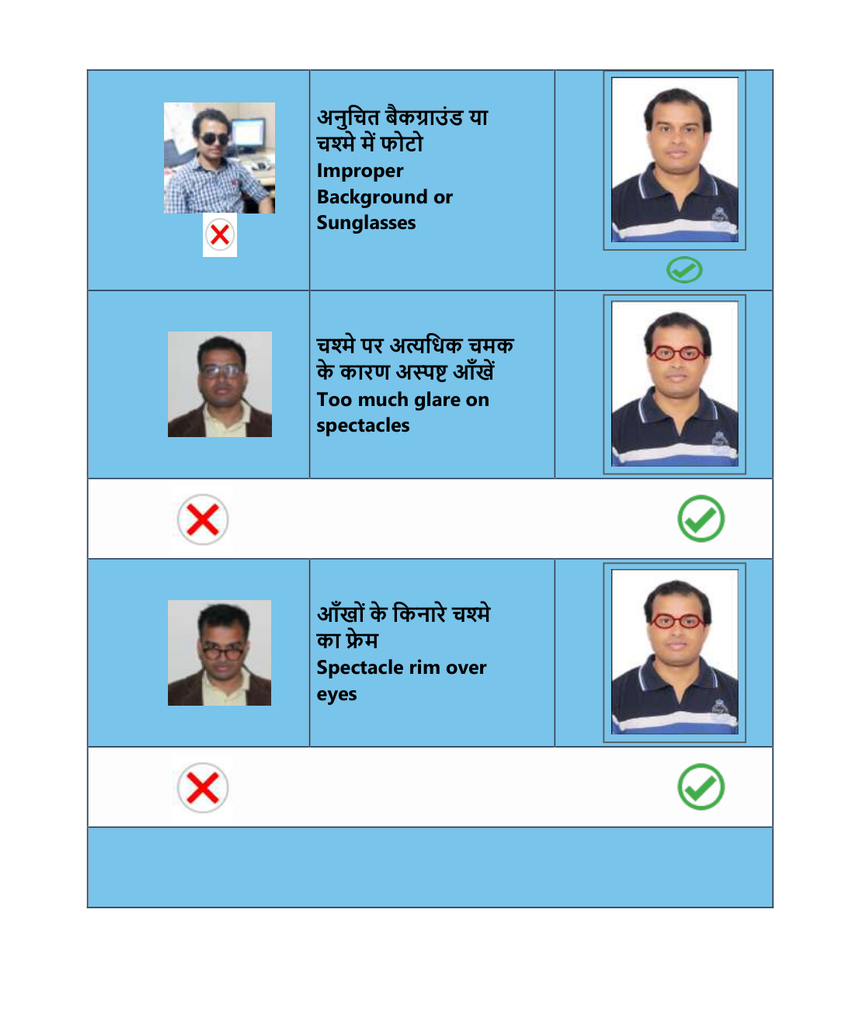
- Do not wear spectacles, a cap, goggles, a stethoscope around the neck, makeup, or ornaments while taking the photograph.
- The photograph should be in colour, have a white background, be in JPG/JPEG format, and be below 80 KB.
- Do not use digital enhancement, alteration, or retouching.
- The face should occupy about 70–80% of the frame.
Official visual example: photograph editing and uploading.
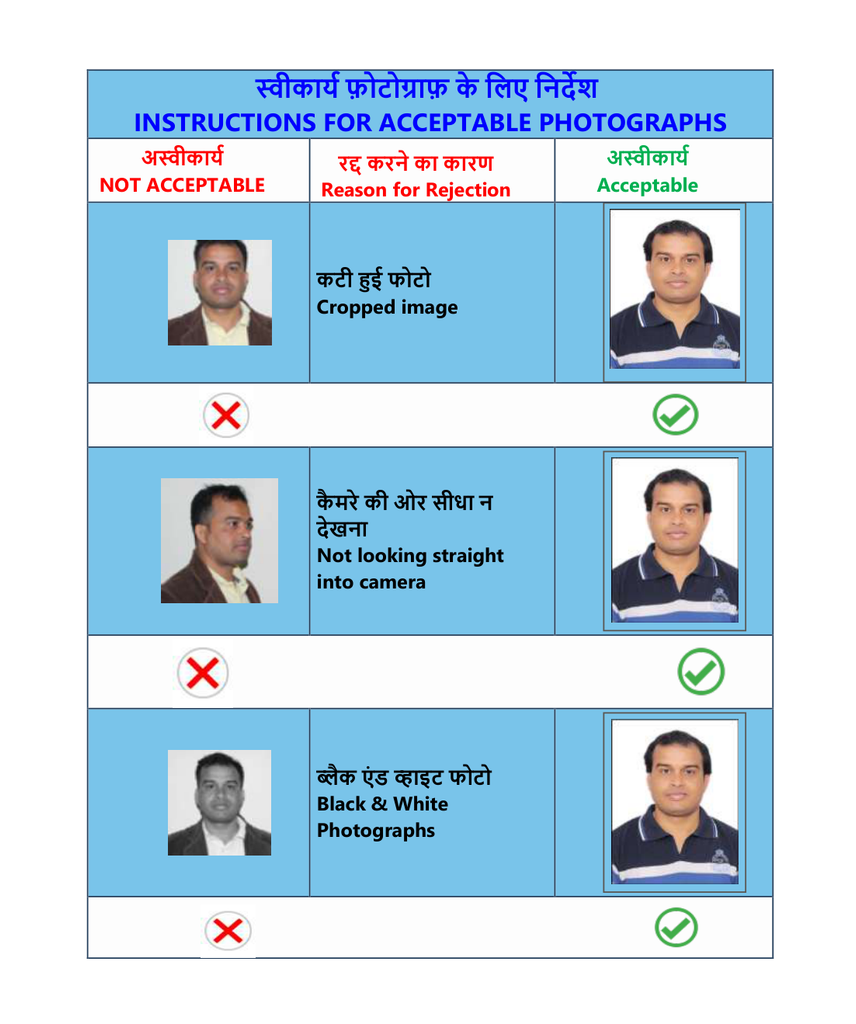
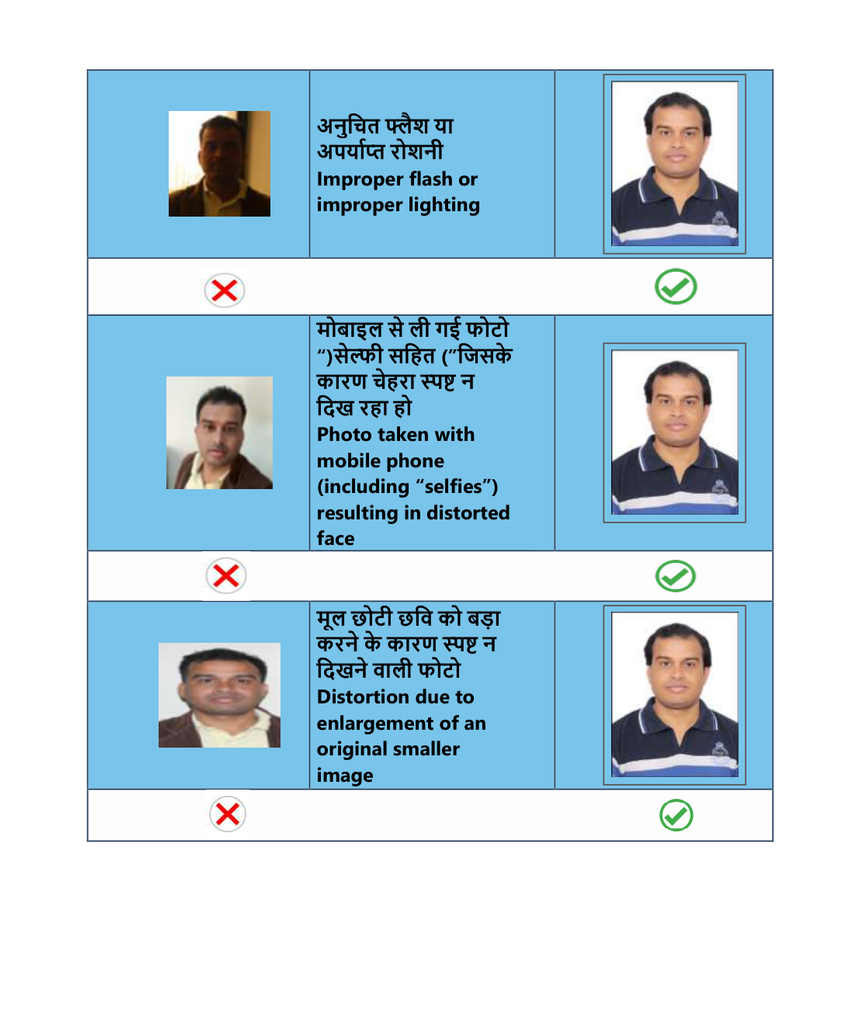
Acceptable vs Unacceptable Photographs
The official examples illustrate common reasons for rejection, including cropped images, not looking straight into the camera, black-and-white photographs, improper lighting or flash, distorted images from mobile-phone selfies, enlargement of a small original image, improper backgrounds, sunglasses, glare on spectacles, and spectacle rims covering the eyes.
FMGE Signature Upload Guidelines
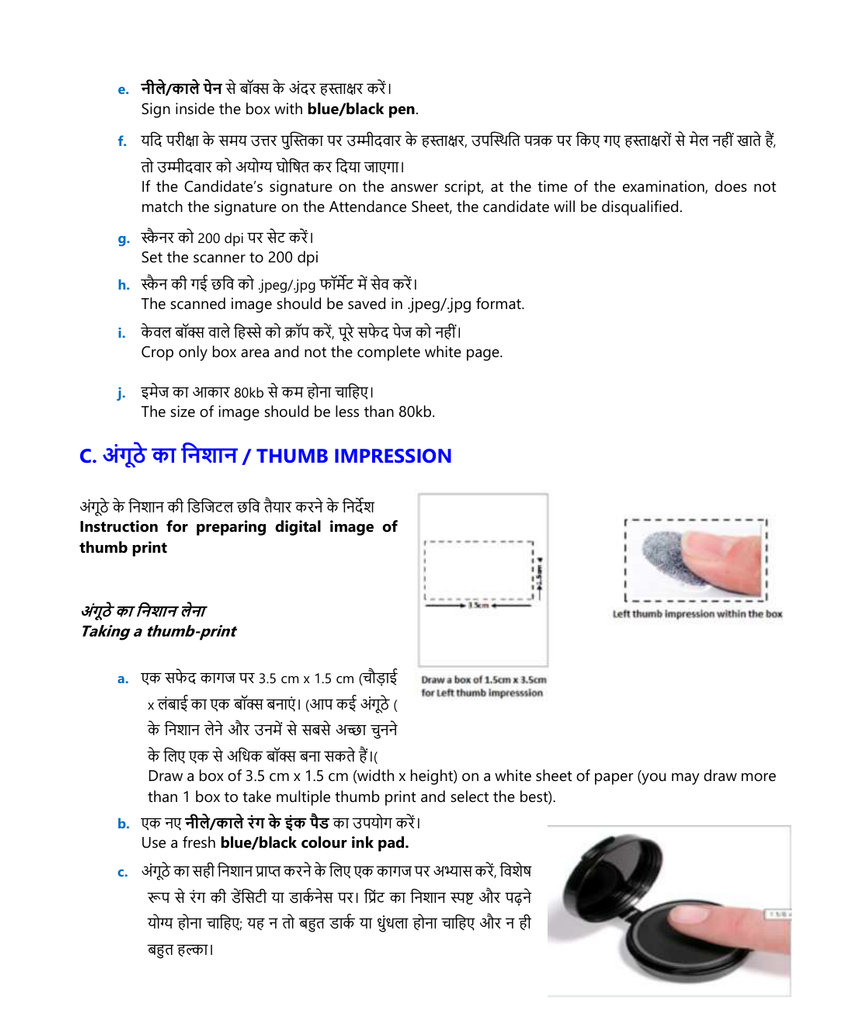
The signature can be prepared by directly capturing it with a digital device or by scanning a handwritten signature. Candidates should draw a 3.5 cm × 1.5 cm box and sign inside the box using a black or dark-blue ink pen.
- Use bright light and avoid flash and shadows.
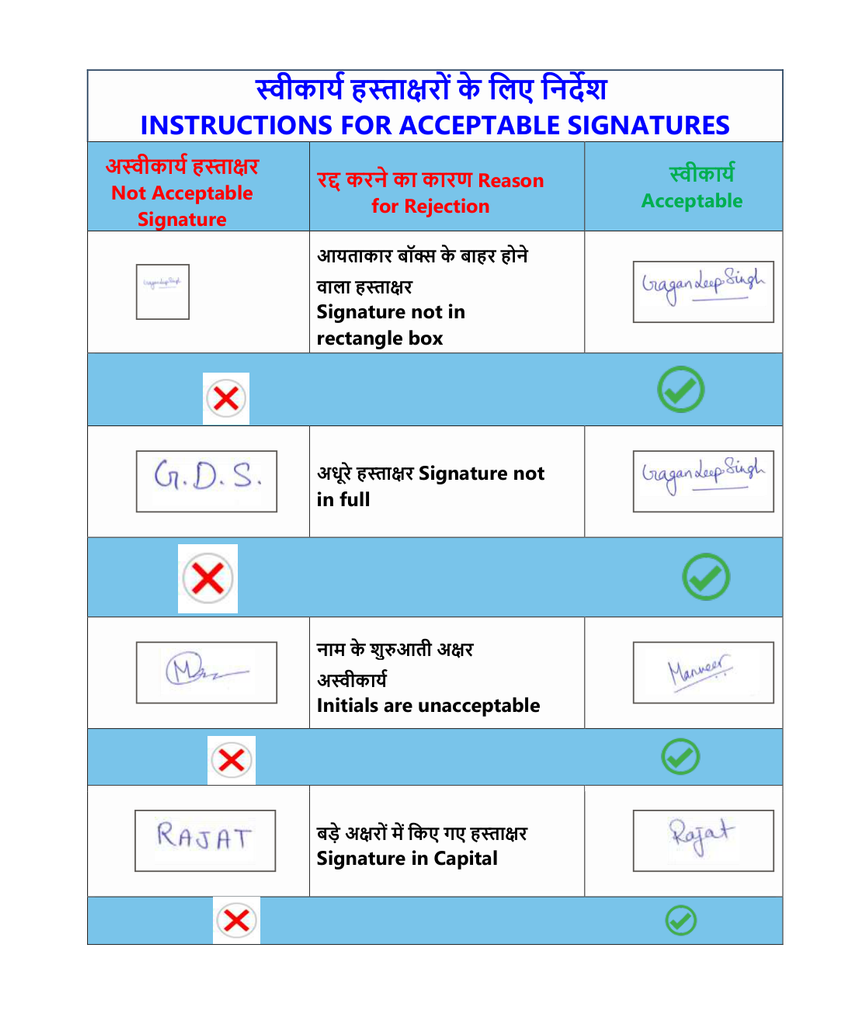
- Provide the complete signature, not only initials.
- The signature must be made by the candidate.
- Use plain white paper without lines.
- When scanning, set the scanner to 200 dpi.
- Save the scanned image in JPG/JPEG format.
- Crop only the box containing the signature, not the complete white page.
- Keep the image size below 80 KB and maintain the aspect ratio.
- The signature used during the examination should match the signature on the Attendance Sheet; a mismatch may result in disqualification.
Official visual example: preparing and scanning the signature
Also read: FMGE October 2026 Admit Card
Acceptable vs Unacceptable Signatures
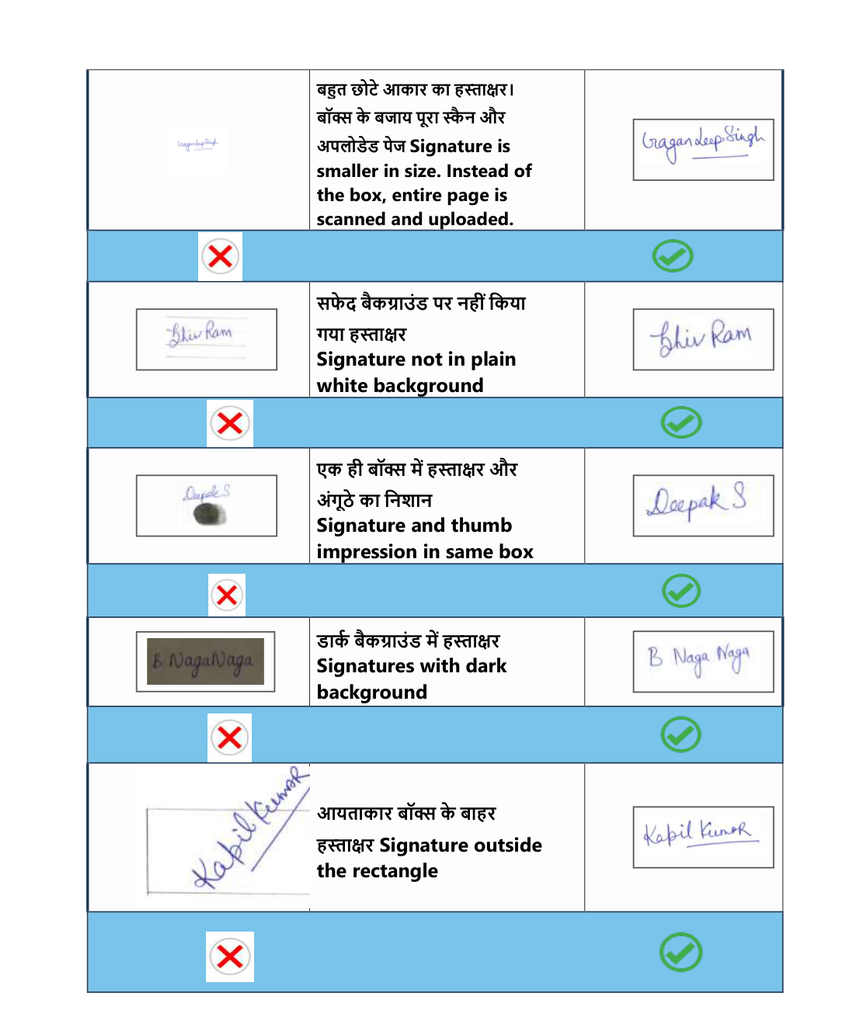
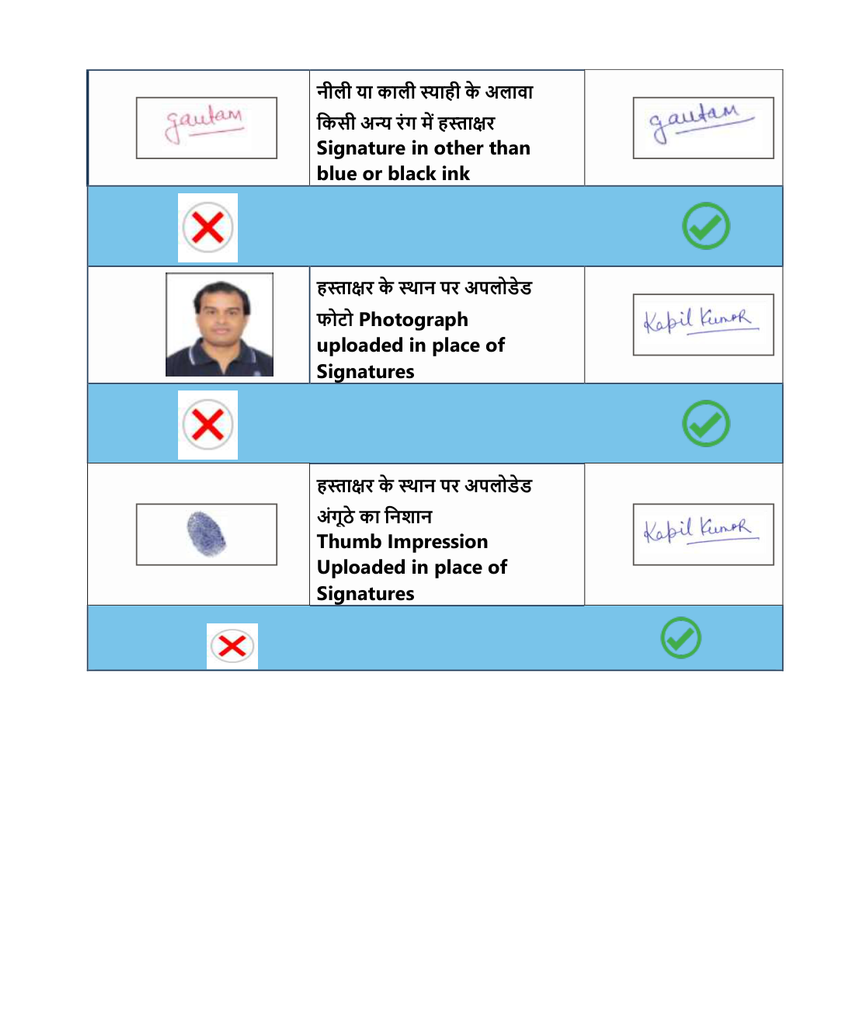
Candidates should compare their signature with the official examples before uploading it. The examples identify signatures outside the rectangular box, incomplete signatures, initials, capital-letter signatures, very small signatures, dark or non-white backgrounds, a signature and thumb impression in the same box, signatures in colours other than blue or black, and photographs or thumb impressions uploaded in place of signatures as unacceptable.
FMGE Thumb Impression Upload Guidelines
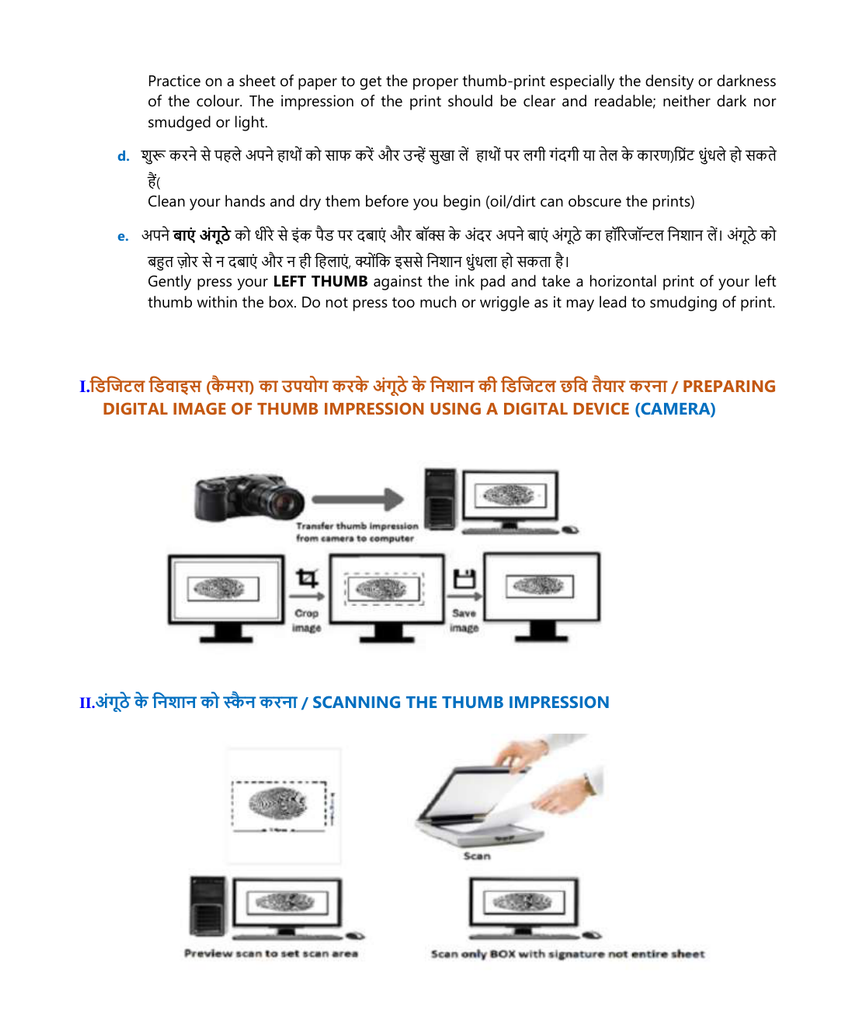
The thumb impression should be prepared on plain white paper using a fresh blue or black ink pad. Candidates should draw a 3.5 cm × 1.5 cm box and take a clear horizontal impression of the left thumb inside the box.
- Candidates may draw more than one box and select the clearest impression.
- Clean and dry the hands before taking the impression.
- Use the LEFT THUMB.
- Press gently; do not press too hard or move the thumb because the impression may become smudged.
- The impression should be clear and readable—not excessively dark, smudged, or too light.
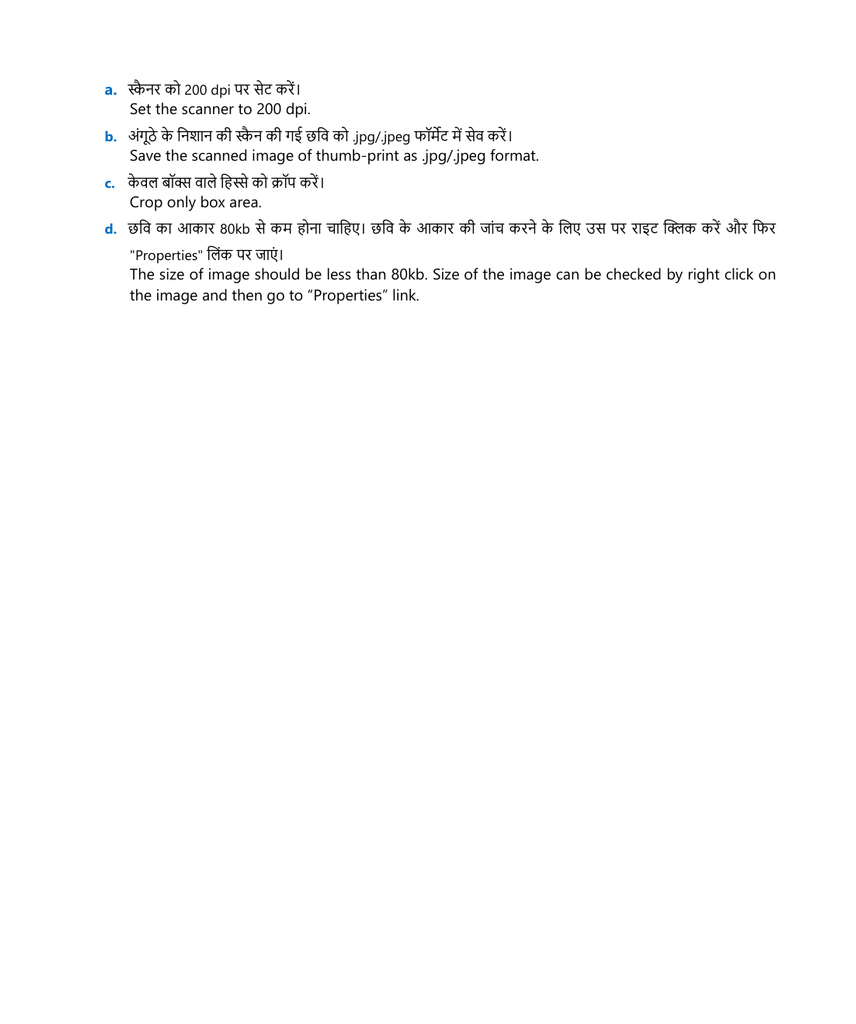
- For scanning, set the scanner to 200 dpi.
- Save the image in JPG/JPEG format.
- Crop only the box area.
- The image size should be below 80 KB.
Official visual example: taking and digitising the thumb impression
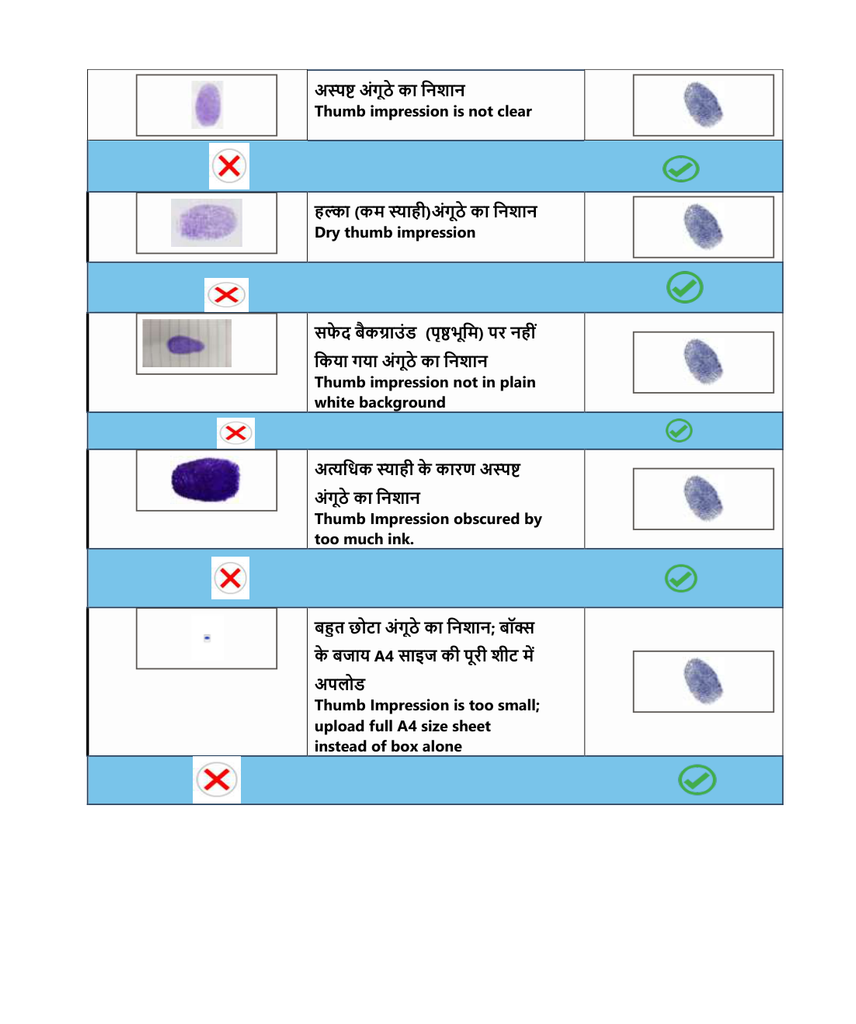
Acceptable vs Unacceptable Thumb Impressions
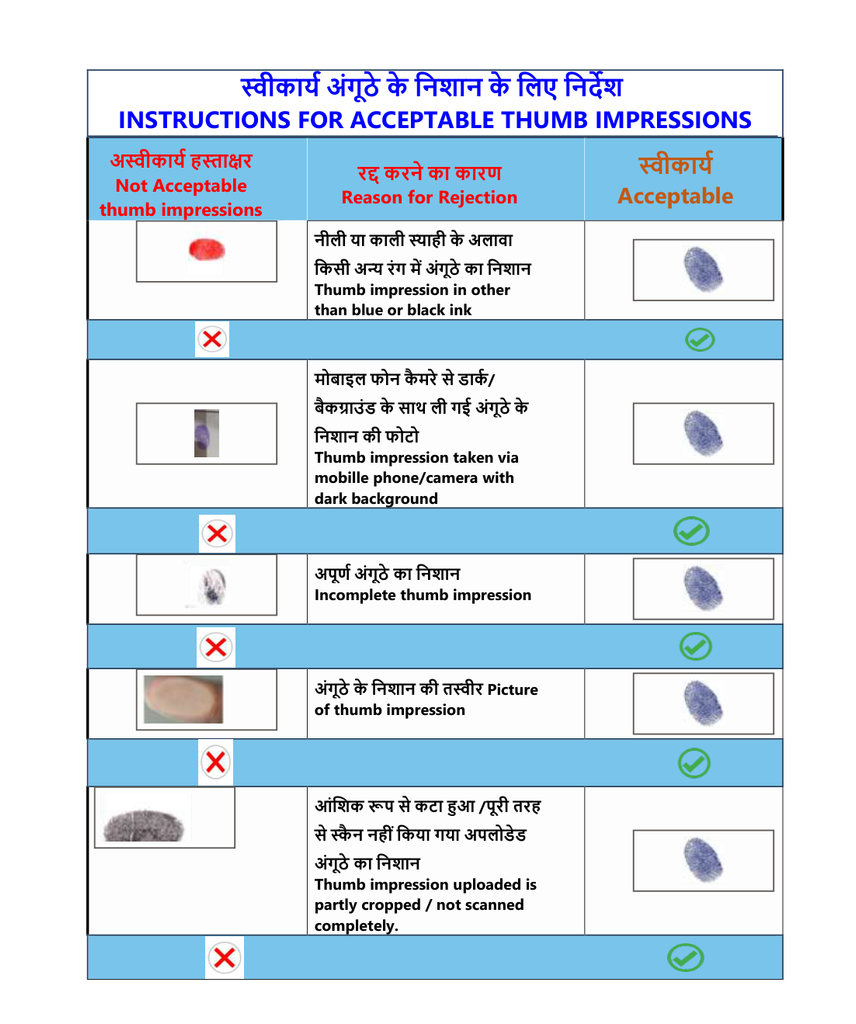
The official FMGE October 2026 examples show that thumb impressions may be rejected when they use an ink colour other than blue or black, have a dark background, are incomplete or unclear, are uploaded as a photograph rather than the required image, are partly cropped, or are scanned as an entire A4 sheet instead of the designated box.
FMGE Image Upload Checklist
| Image | Key Requirements | Common Errors to Avoid |
| Photograph | Colour; white background; recent photo; JPG/JPEG; below 80 KB; face clearly visible; 70–80% of frame. | Selfie, cropped face, poor lighting, sunglasses, distracting background, black-and-white image, retouching. |
| Signature | Complete signature; blue/black ink; inside 3.5 × 1.5 cm box; plain white background; JPG/JPEG; below 80 KB. | Initials, capital letters, signature outside box, very small signature, dark background, wrong image uploaded. |
| Thumb Impression | Left thumb; blue/black ink; clear horizontal impression; 3.5 × 1.5 cm box; JPG/JPEG; below 80 KB. | Incomplete/smudged impression, excessive ink, wrong colour, dark background, partial crop, full-page scan. |
Important Warning for FMGE Candidates
The FMGE October 2026 Image Upload Guidelines state that candidates should carefully follow the image guidelines. If uploaded images do not comply with the prescribed requirements, or candidates fail to rectify them during the edit window/final edit window, the application may be rejected. Candidates should therefore check every image before final submission.
Official Website: https://nbe.edu.in/
Frequently Asked Questions
Q1. How many photographs are required for FMGE?
Two photographs are required: a real-time photograph captured during the online application and a recent photograph not more than three months old.
Q2. What should be the photograph background?
The photograph should have a plain white background without distracting objects or additional people.
Q3. Can candidates upload a selfie?
No. The official instructions state that selfies shall be rejected.
Q4. What is the maximum photograph size mentioned in the instructions?
The digital photograph should be below 80 KB.
Q5. What ink should be used for the signature?
Black or dark-blue ink should be used.
Q6. What is the signature box size?
The signature box is 3.5 cm wide × 1.5 cm high.
Q7. Which thumb should be used?
The instructions specify a horizontal impression of the LEFT THUMB.
Q8. What scanner setting is specified?
The scanner should be set to 200 dpi for the signature and thumb impression.